Home/Offline Map Maker/Custom Map Type
Any tiles you are allowed to use can be downloaded once you can describe the URL of one tile, or the style you want. The screenshots below show every step.
Firstly, we select Maps type "Custom Map Type (EPSG3857 and EPSG4326 supported)" , then the button "Custom Parameters" will be enabled. See the screen shot:
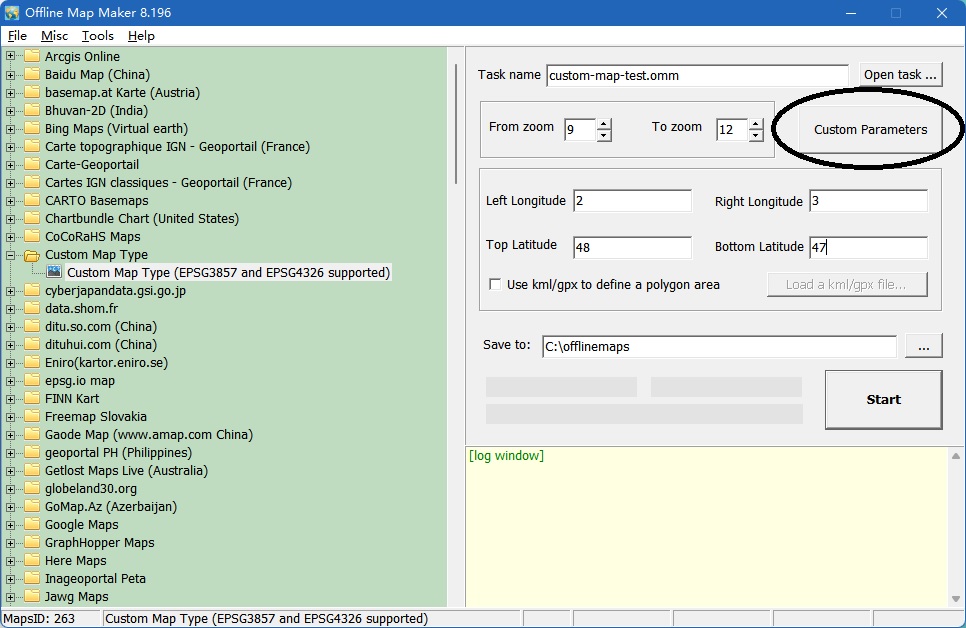
Click the button "Custom Parameters", will show a dialog window:
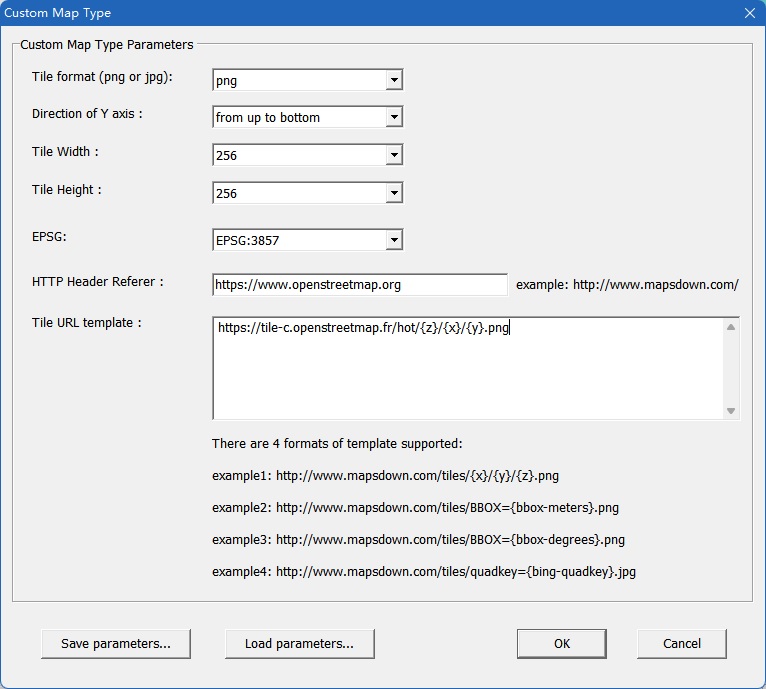
Input all parameters, click button "OK", back to downloader window, start to download.
It supports EPSG3857 and EPSG4326.
There are 4 formats of tile template url: xyz, bbox-meters, bbox-degrees, bing-quadkey.
Please see the examples:
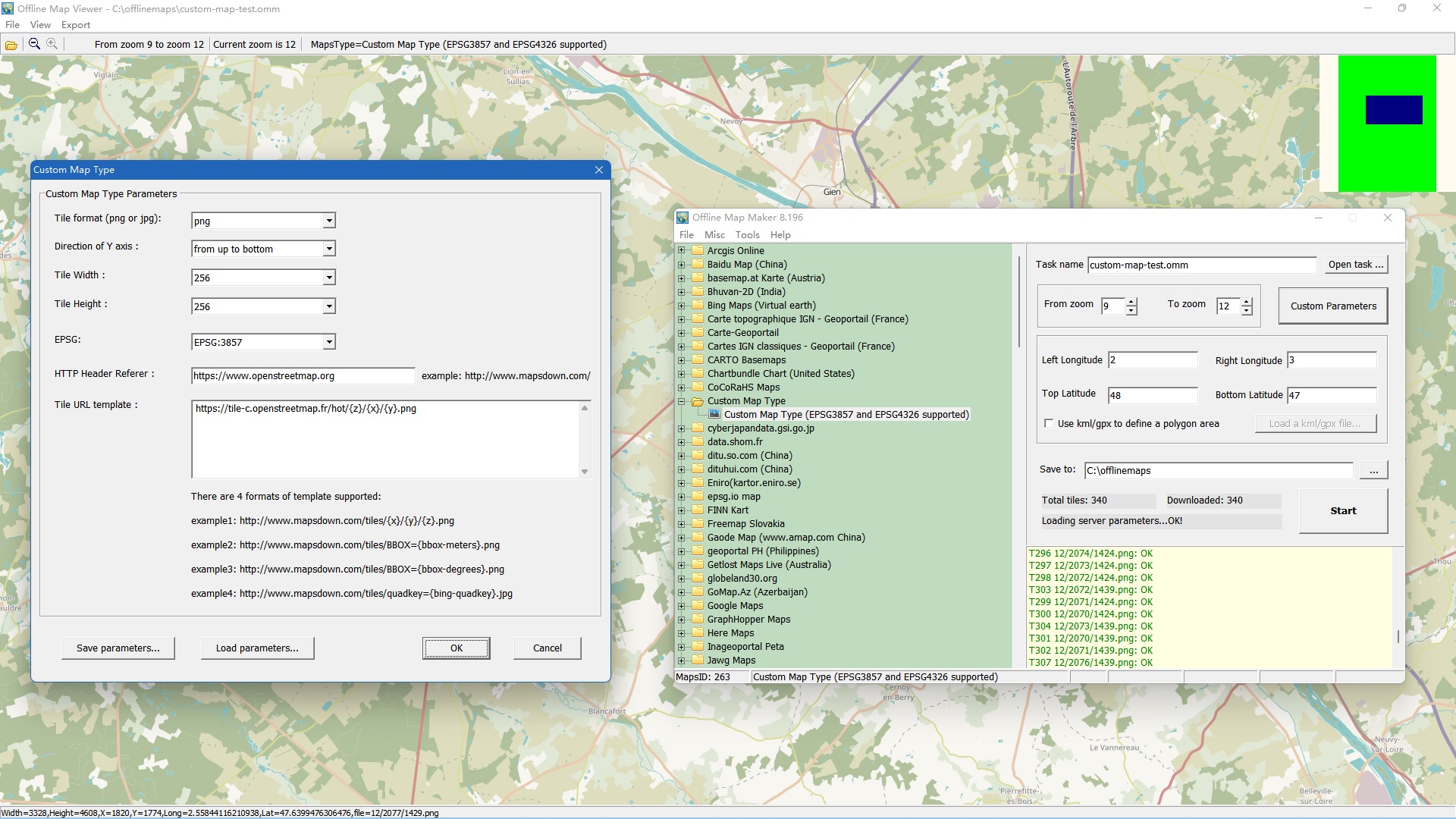
Example 1: xyz-3857-example (get parameters txt file here)
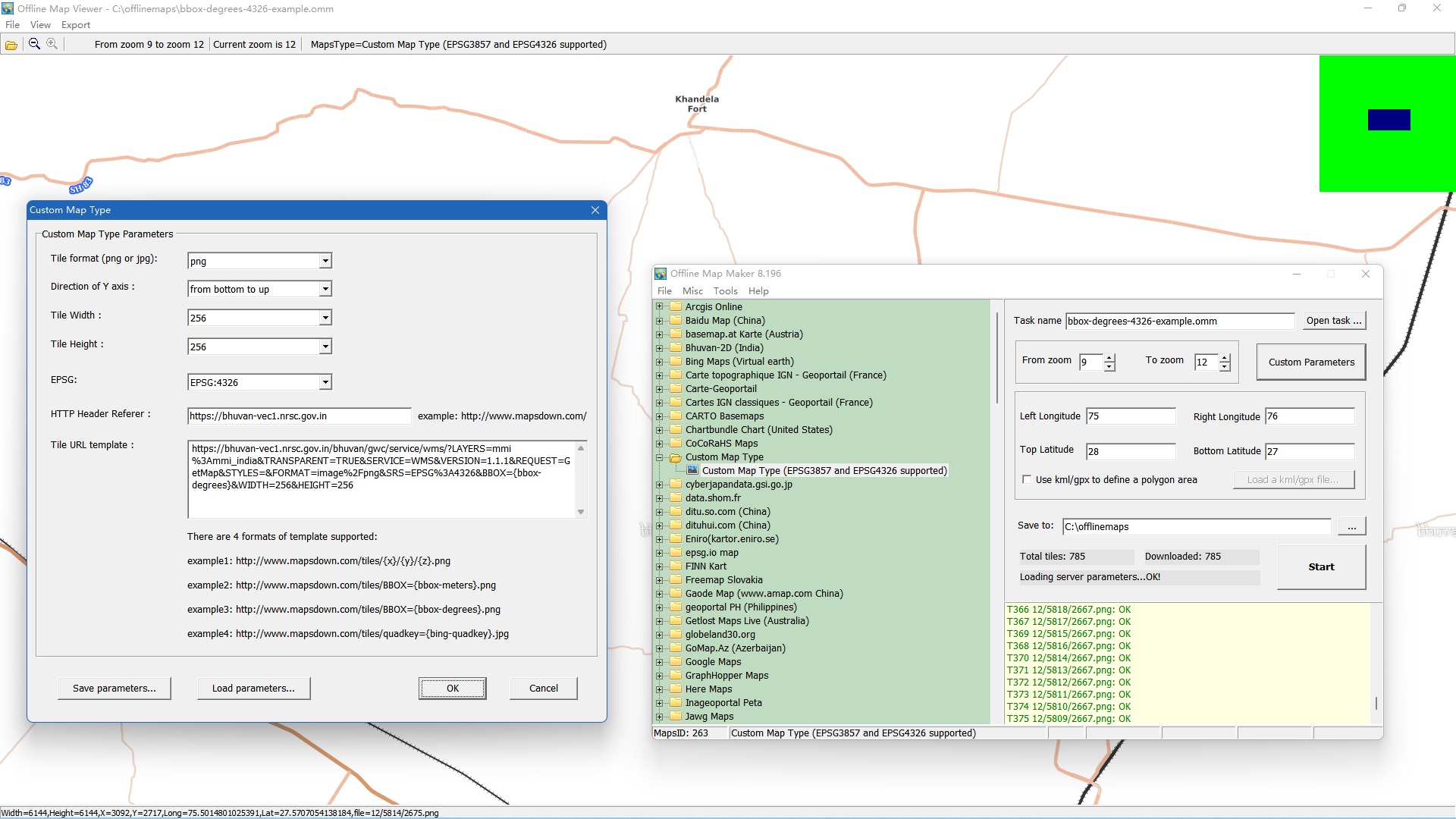
Example 2: bbox-degrees-4326-example (get parameters txt file here)
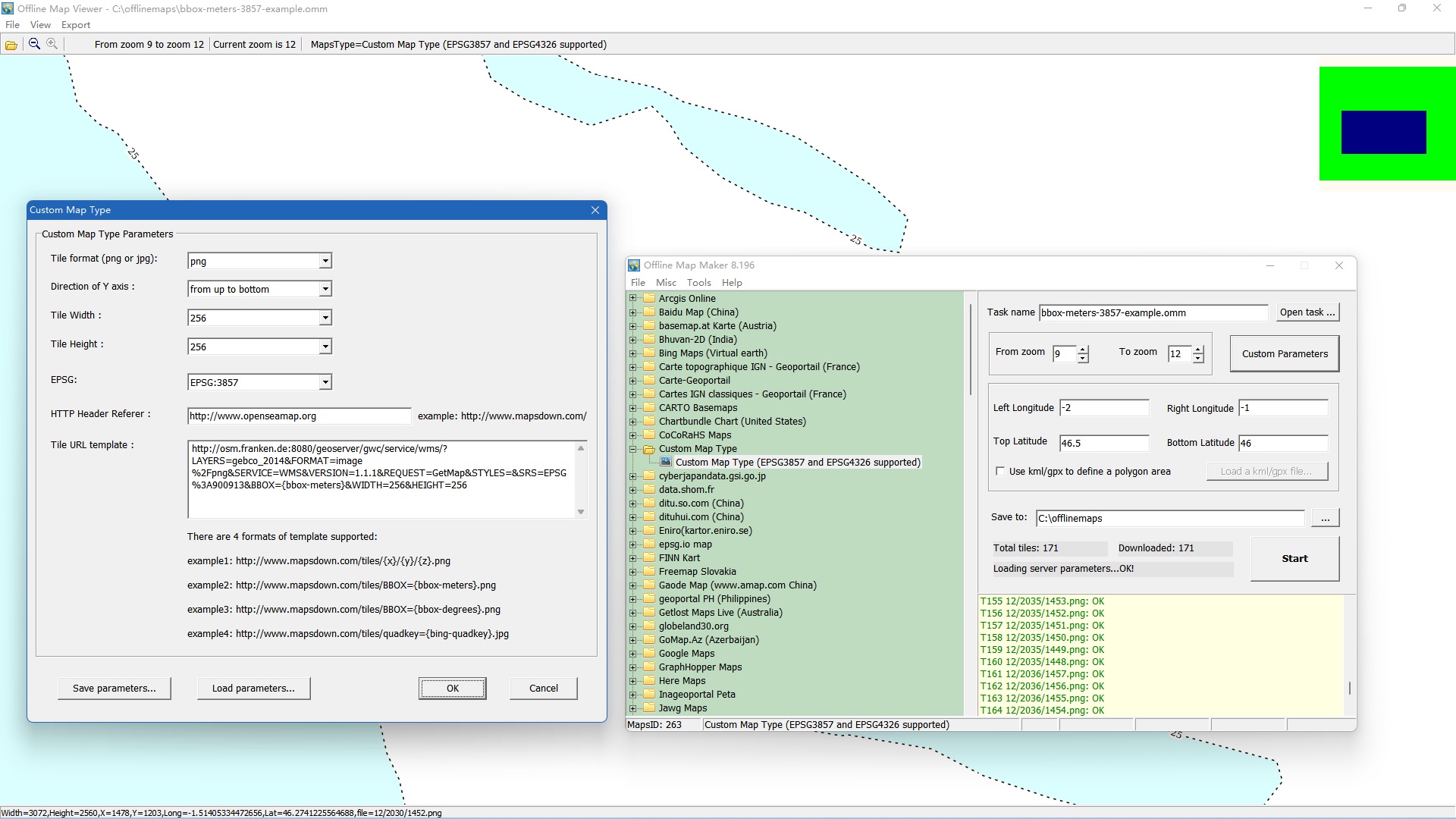
Example 3: bbox-meters-3857-example (get parameters txt file here)
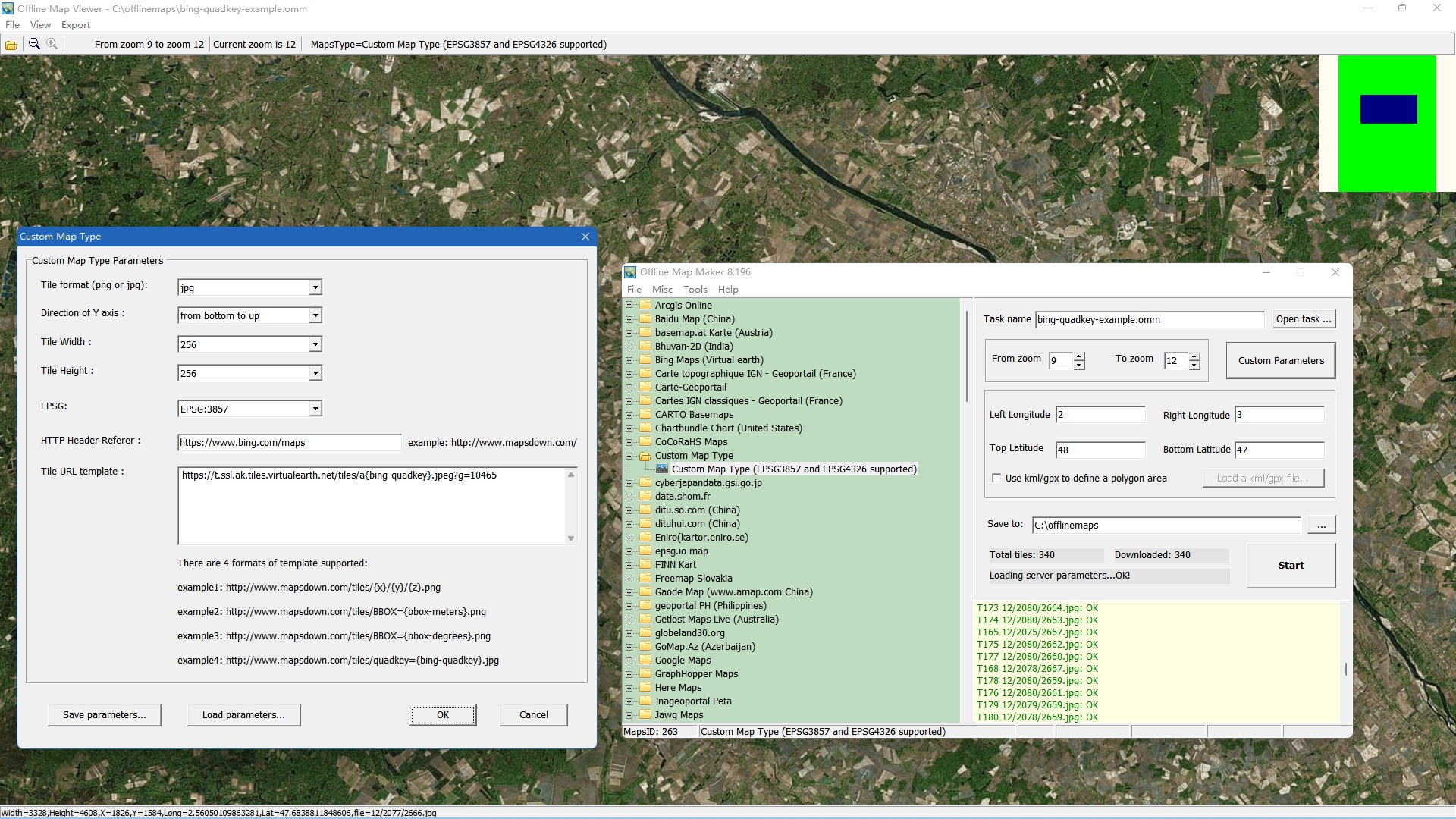
Example 4: bing-quadkey-3857-example (get parameters txt file here)